Search the Missouri Secretary of State database to check active and inactive business records or investigate corporate name availability. The portal can be used prior to filing for formation to ensure that a chosen name will not cause the rejection of the registration forms.
Business Entity Search

By searching, you agree to our Terms of Use and Privacy Policy.
Business Entity Search
1. Go to Business Entity Search page
2. Search for Business Entity
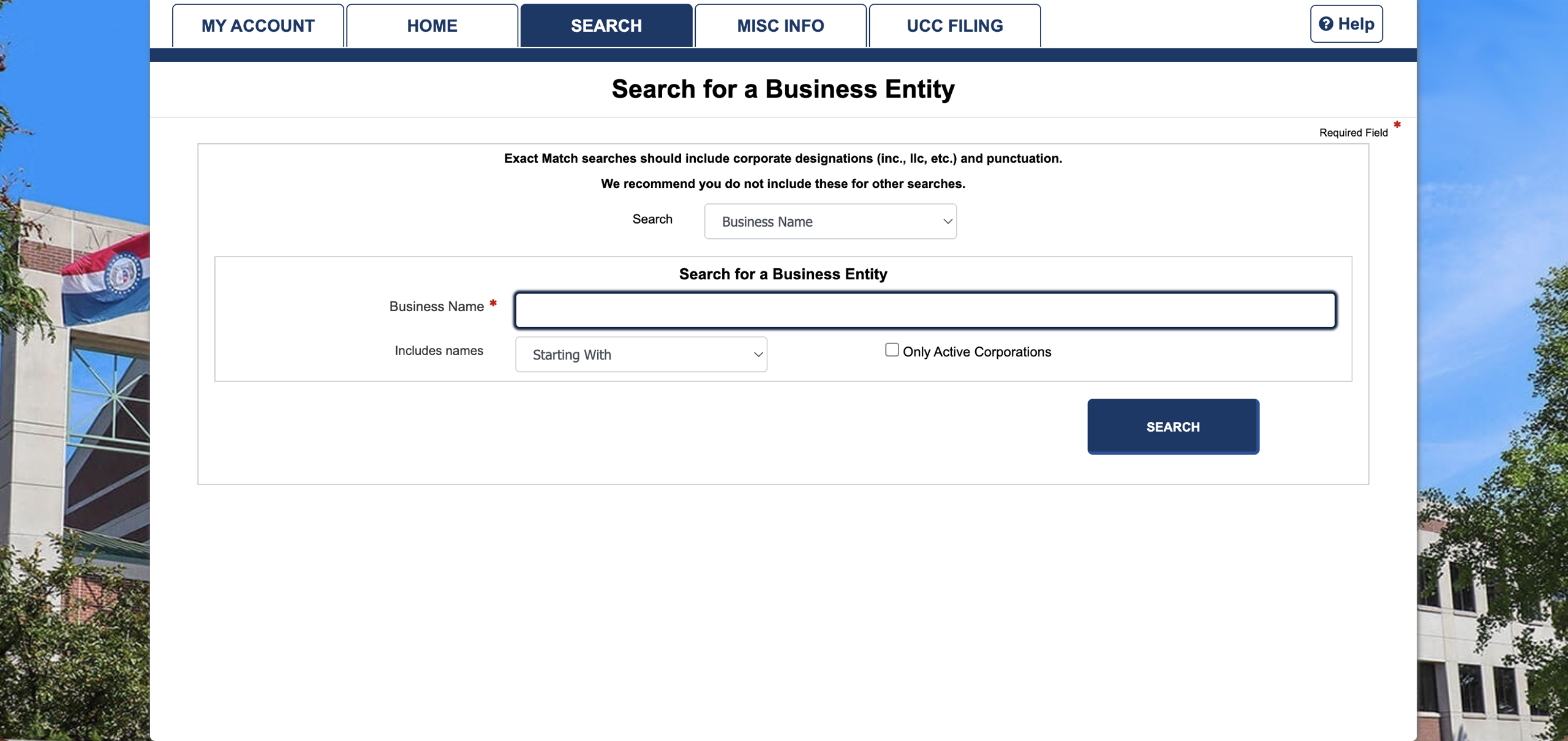
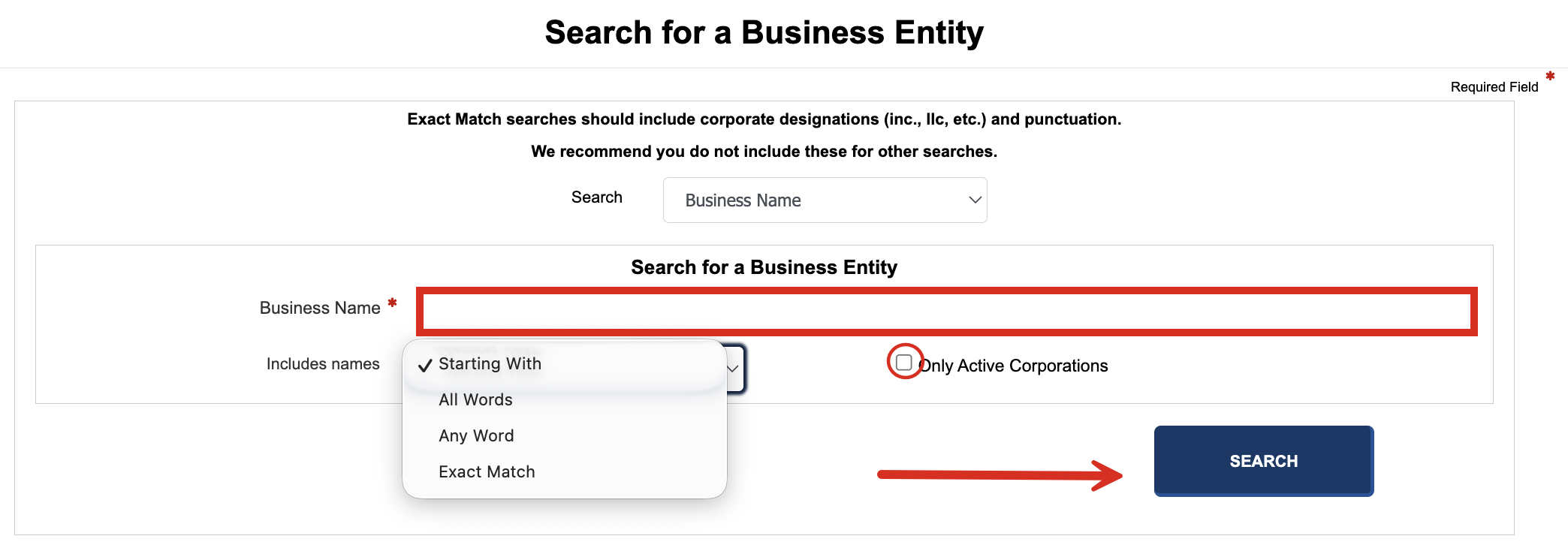
On the homepage, enter the business name in the available field , indicate what names to include in the results, and click SEARCH. Users have the choice to search for Only Active Corporations.
3. View Search Results
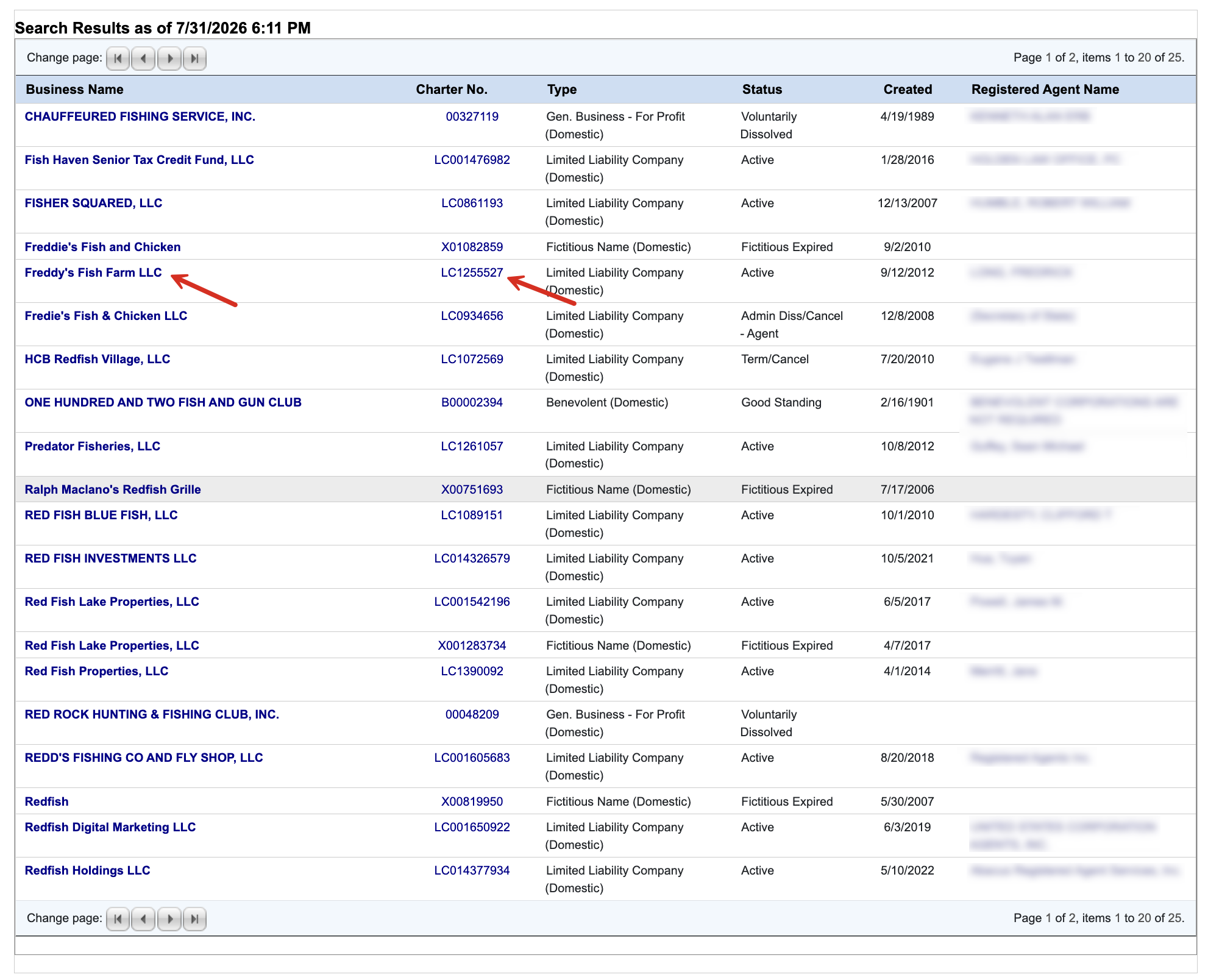
The search results should appear on the same page. They will list the Business Name, Charter No., Type, Status, Date Created, and Registered Agent Name.
Selecting either the Business Name or the Charter No. will produce further details on any given entity.
The Registered Agent Name can also be clicked to view the entities that agent represents.
4. Company Details
The General Information tab will present the following info:
- Company name(s)
- Entity type
- Domesticity (whether founded in Missouri or elsewhere)
- Registered agent name and address
- Date formed
- Principal office address
- Charter Number
- Home state
- Status (active or inactive)
- Duration
The Filings tab will reveal all forms filed with the Secretary of State as of the date of registration (see image). The Principal Office Address lists the registered and principal offices past and present.
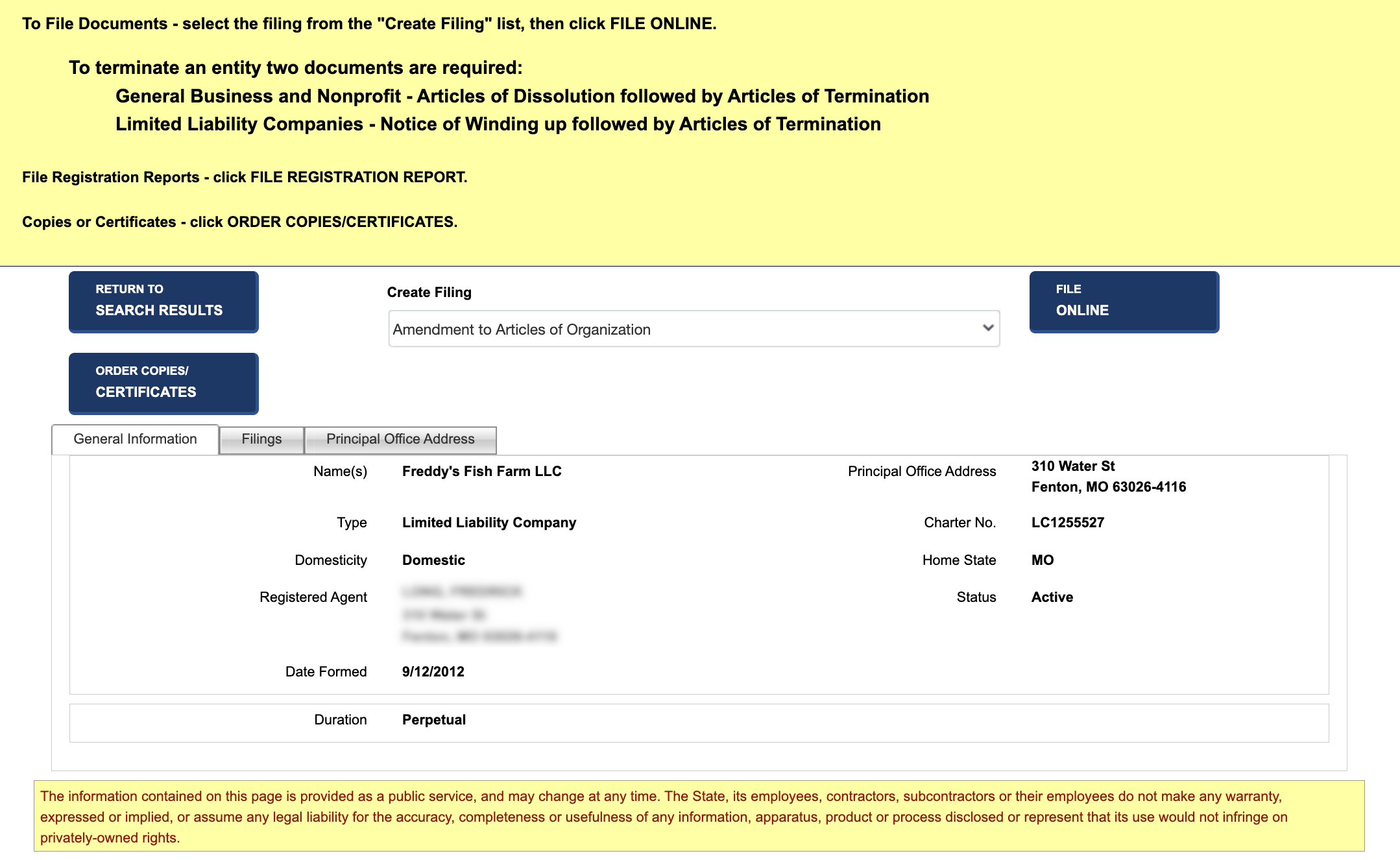
Actions – Click Order Copies/CERTIFICATES to log into the Secretary of State portal and order a certificate of good standing or copy of a filing.
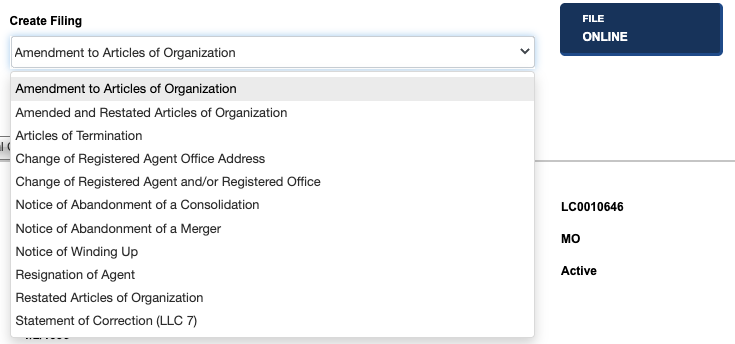
Users can also initiate the process of creating a filing by selecting the available document from the dropdown menu (see image) and clicking FILE ONLINE.
Name Availability Search
1. Go to the Business Entity Search Page

2. Select Name Availability
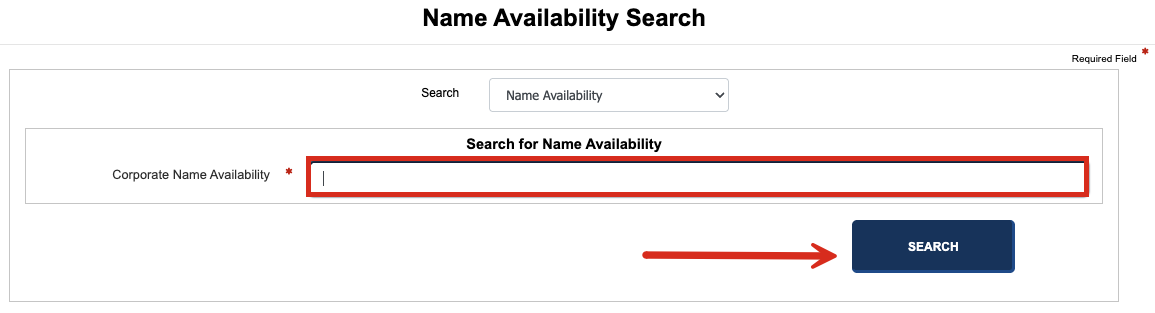
Under the dropdown menu at the top of the form, select Name Availability.

3. Enter Desired Name
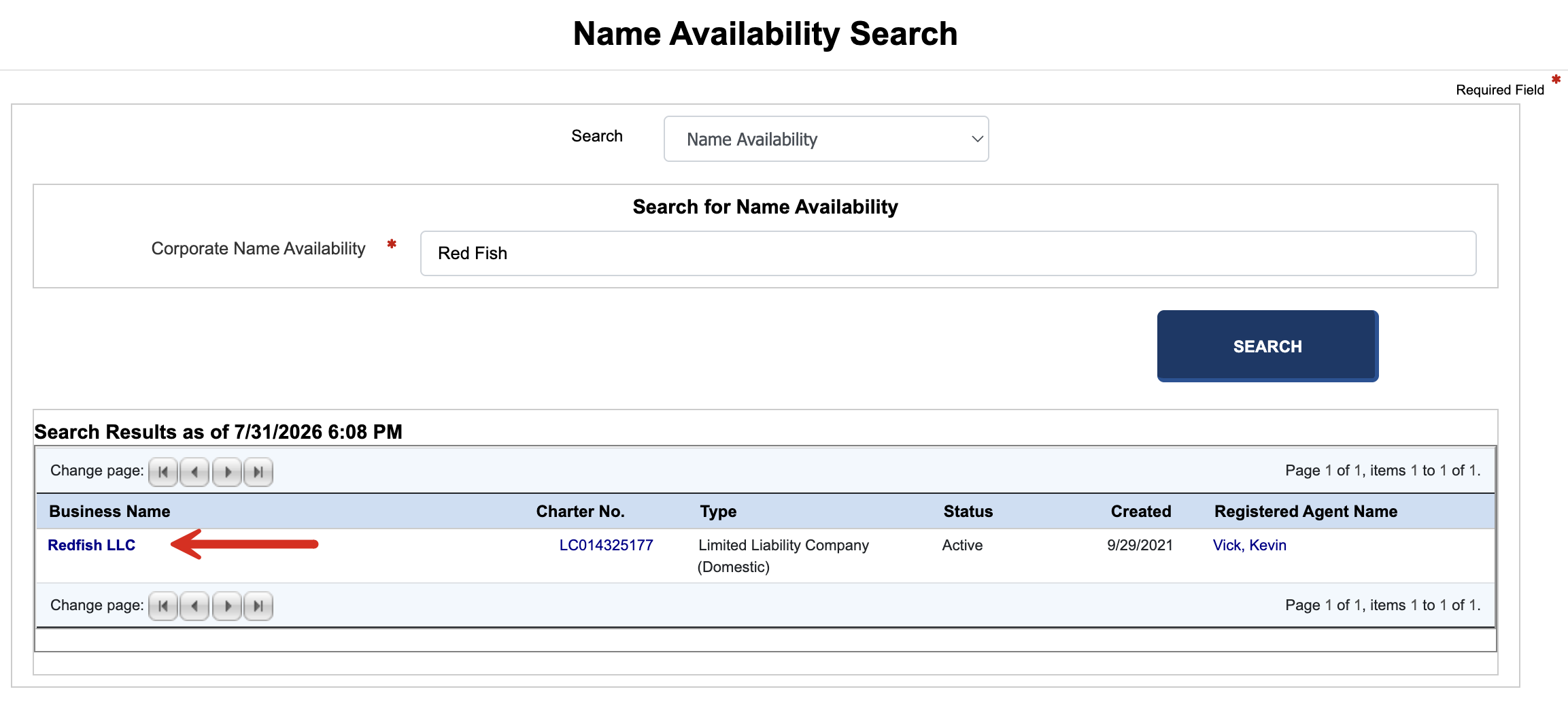
Enter the chosen corporate name and click SEARCH.
4. View Outcome
The window will either state that there are No records to display, indicating that the name is indeed available, or it will display one or more entities with matching names, indicating that the name is already in use (see image).