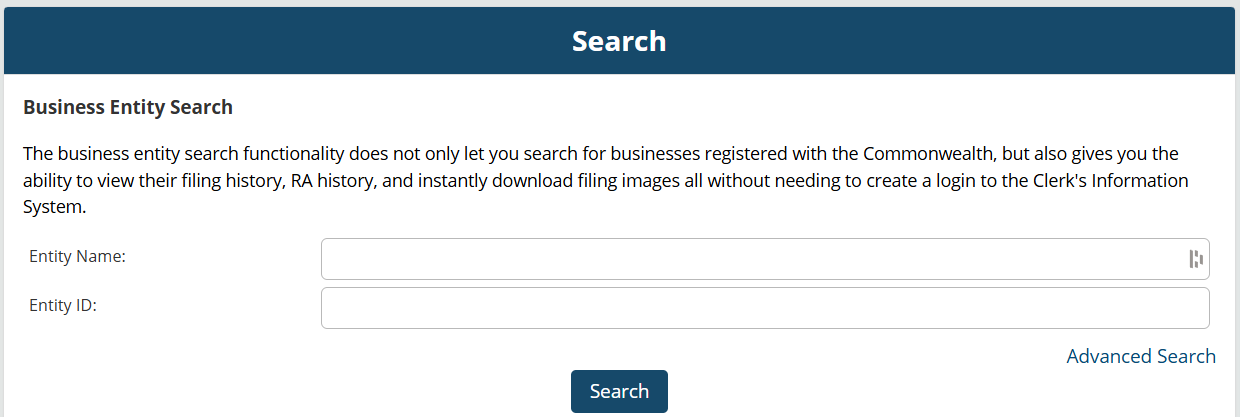
Search Virginia business entities online through the State Corporation Commission Clerk’s Information System (CIS). The platform contains business records for all entities registered with the SCC. Furthermore, a business name can be entered into the search bar to help determine if it is distinguishable from other companies so a new entity can be registered.
Business Entity Search

By searching, you agree to our Terms of Use and Privacy Policy.
Business Entity Search
1. Launch the Business Entity Search Portal
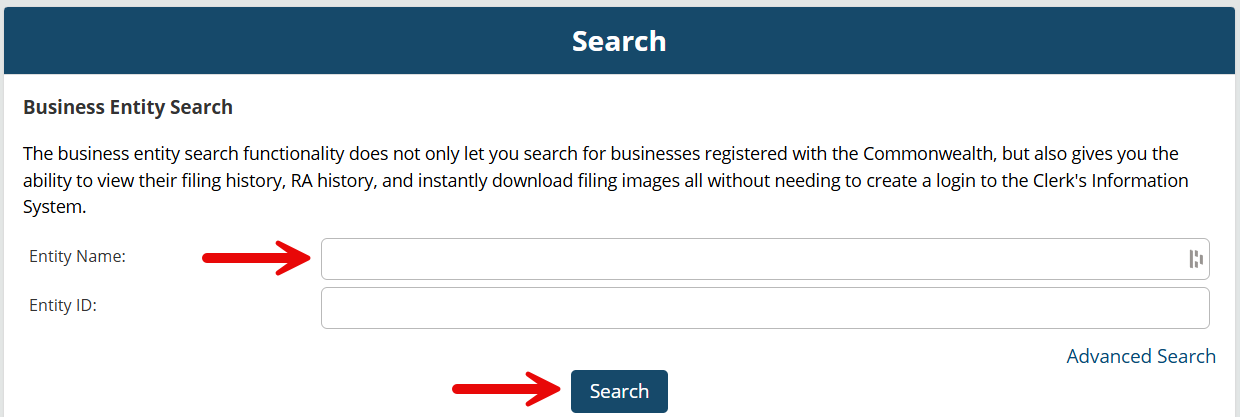
2. Perform an Entity Name Search
Enter a business name into the search bar and click Search to browse company records or determine name availability for a new business. Companies can also be searched by entity ID.
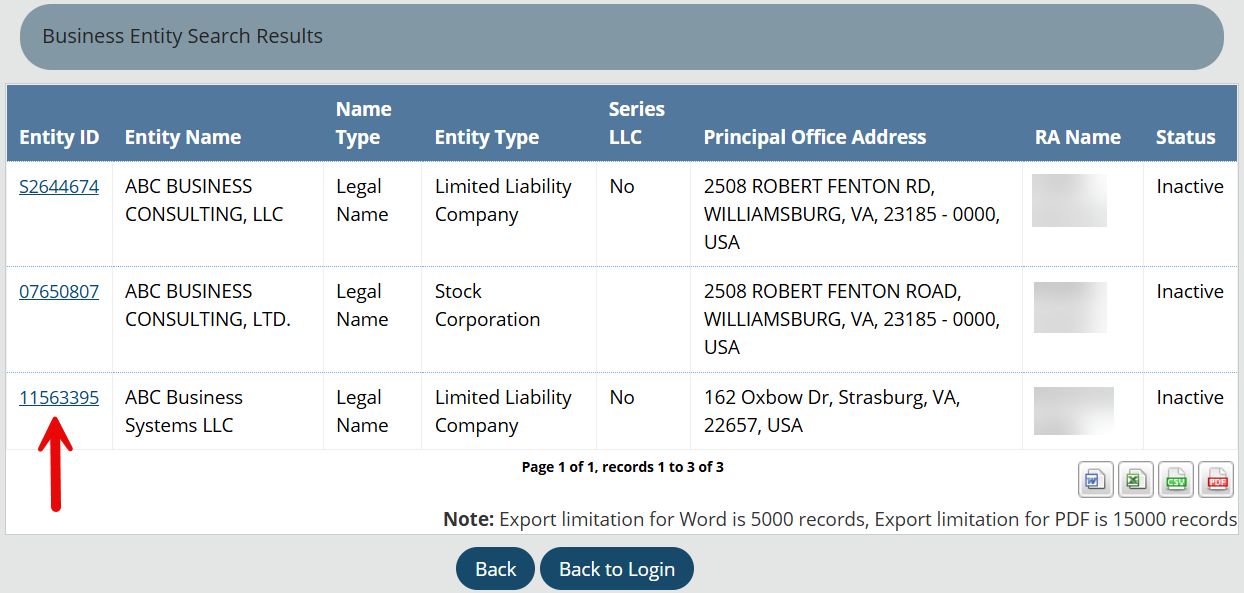
3. Look Through Results
A list of companies that match the search criteria will be displayed along with their entity ID, entity structure, address, registered agent, and status.
If the notice No records found with your search criteria comes up, it means no businesses match the information or search parameters provided (see image). If a business name was entered into the search, this may indicate that the name is available for a new entity to use.
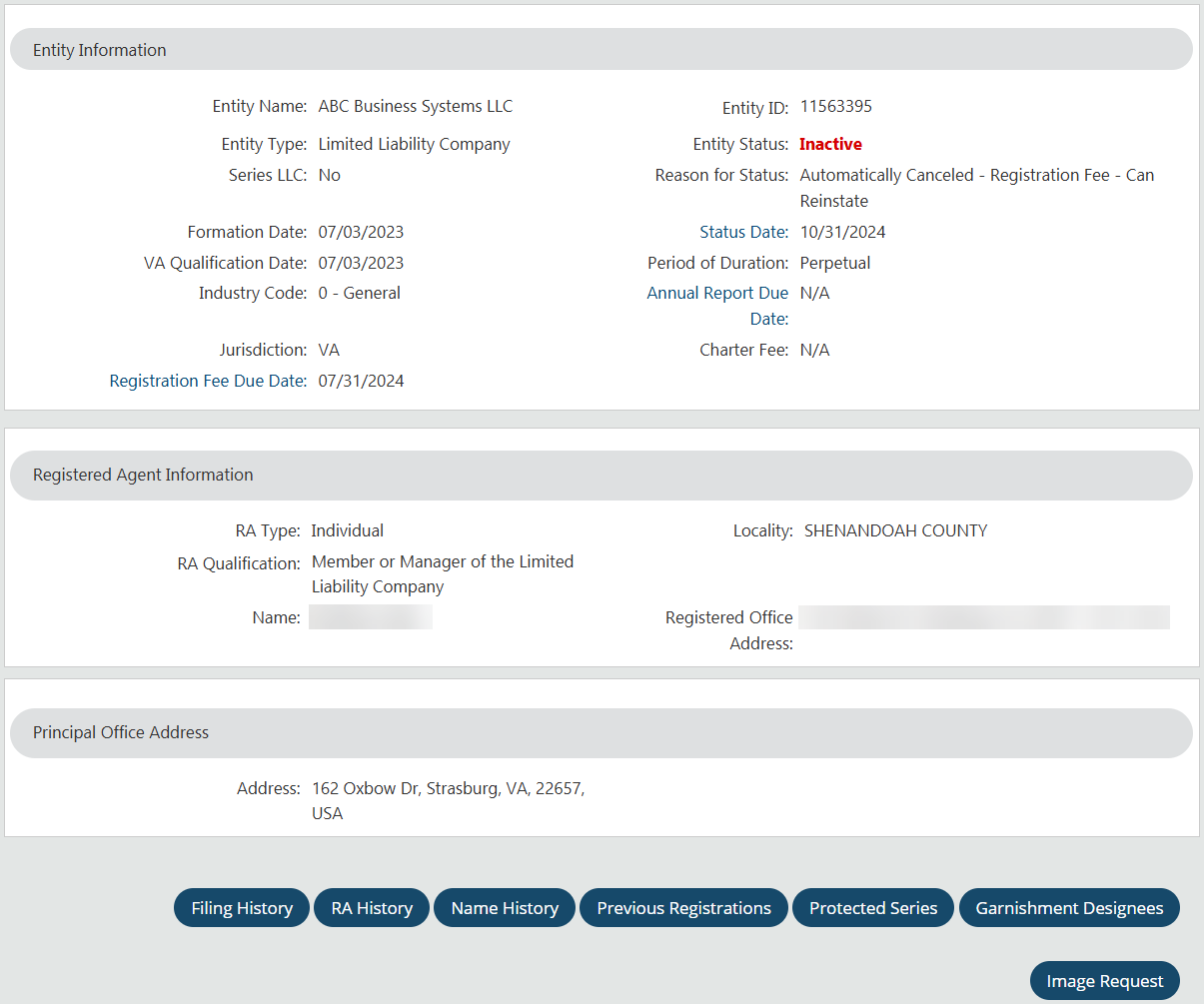
4. View Entity Information
Clicking on the Entity ID from the search results list, as shown above, will bring up the entity information page which includes the following business details:
- Entity name
- Entity type
- Series LLC (yes/no)
- Formation date
- VA qualification date
- Industry code
- Jurisdiction
- Fee due date
- Entity ID
- Entity status
- Reason for status
- Status date
- Period of duration
- Annual report due date
- Charter fee
- Registered agent type, qualification, name, locality, and address
- Principal office address
- Filing history
- RA history
- Name history
- Previous registrations
- Protected series
- Garnishment designees