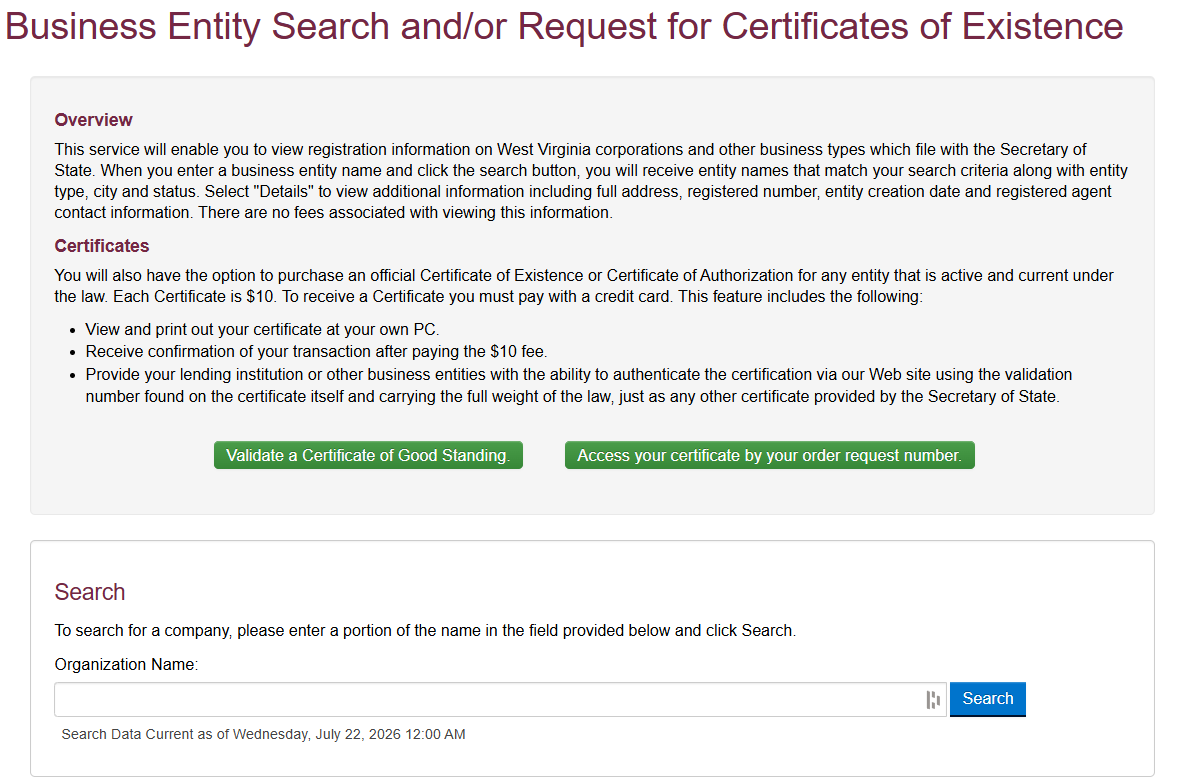
Search West Virginia business names to learn about registered entities and to help determine whether a new business name is available. Each new entity has to have a name distinguishable from all other entities, and the Secretary of State’s business entity search contains all active and inactive companies so a name can be compared to current businesses before registering.
Business Entity Search

By searching, you agree to our Terms of Use and Privacy Policy.
Business Entity Search
1. Visit the Search Platform
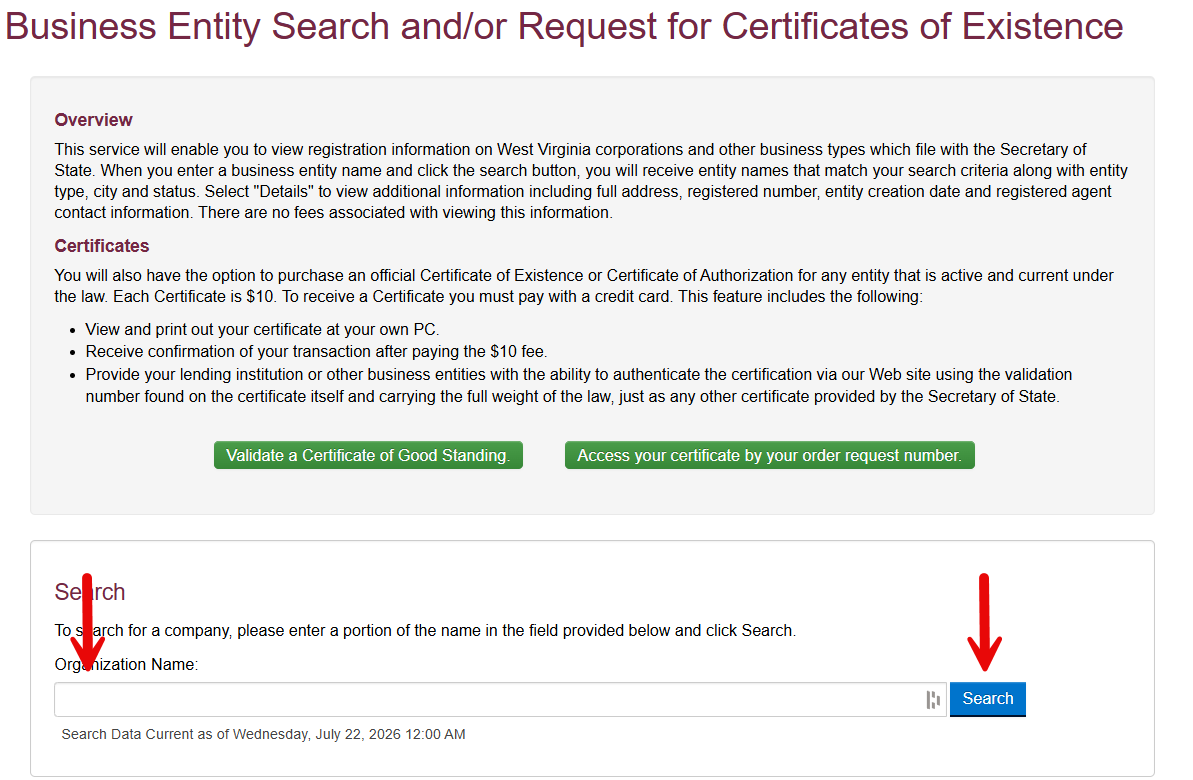
2. Search by Organization Name
In the Organization Name field, enter a business name and click Search.
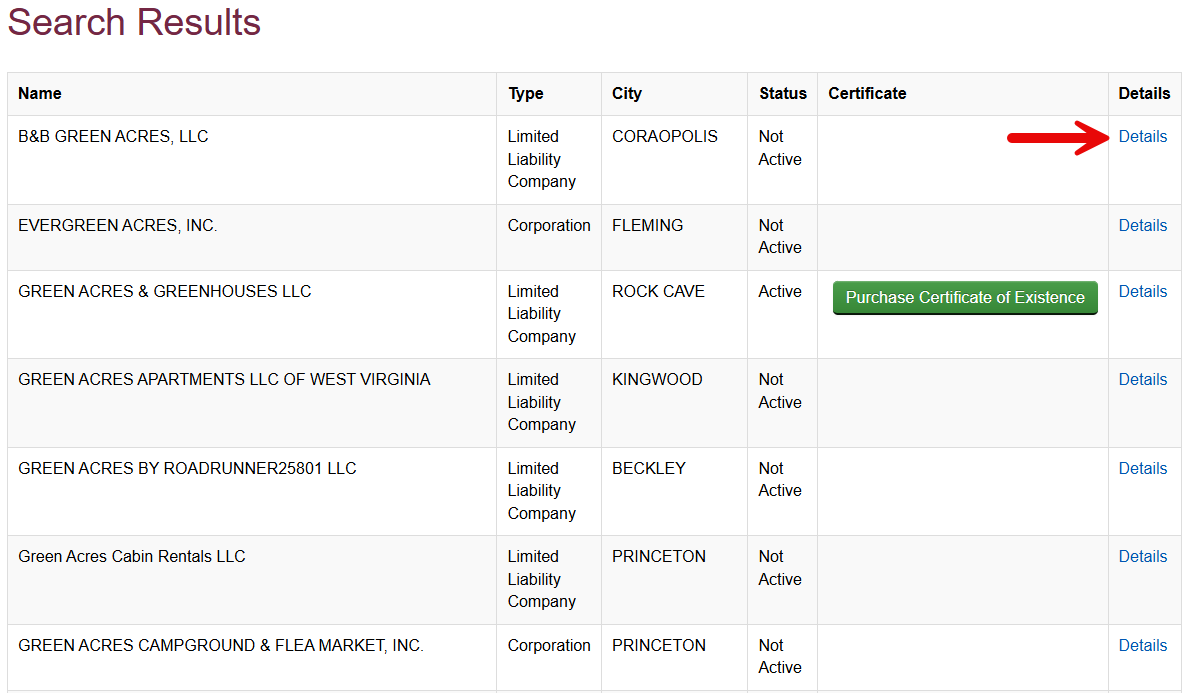
3. See Search Results
A list of companies matching the business name will be displayed along with the type of entity, city, status, and certificate of existence (available for purchase). If the searched name is too similar to an existing company, it’s unlikely that it can be used to register a new entity.
When the site displays a No Records Found page, this means there are no SOS entity records that match the business name or keyword entered (see image). This does not guarantee the name is available for a new company, and approval is still required based on statutory filing requirements.
4. View Entity Details
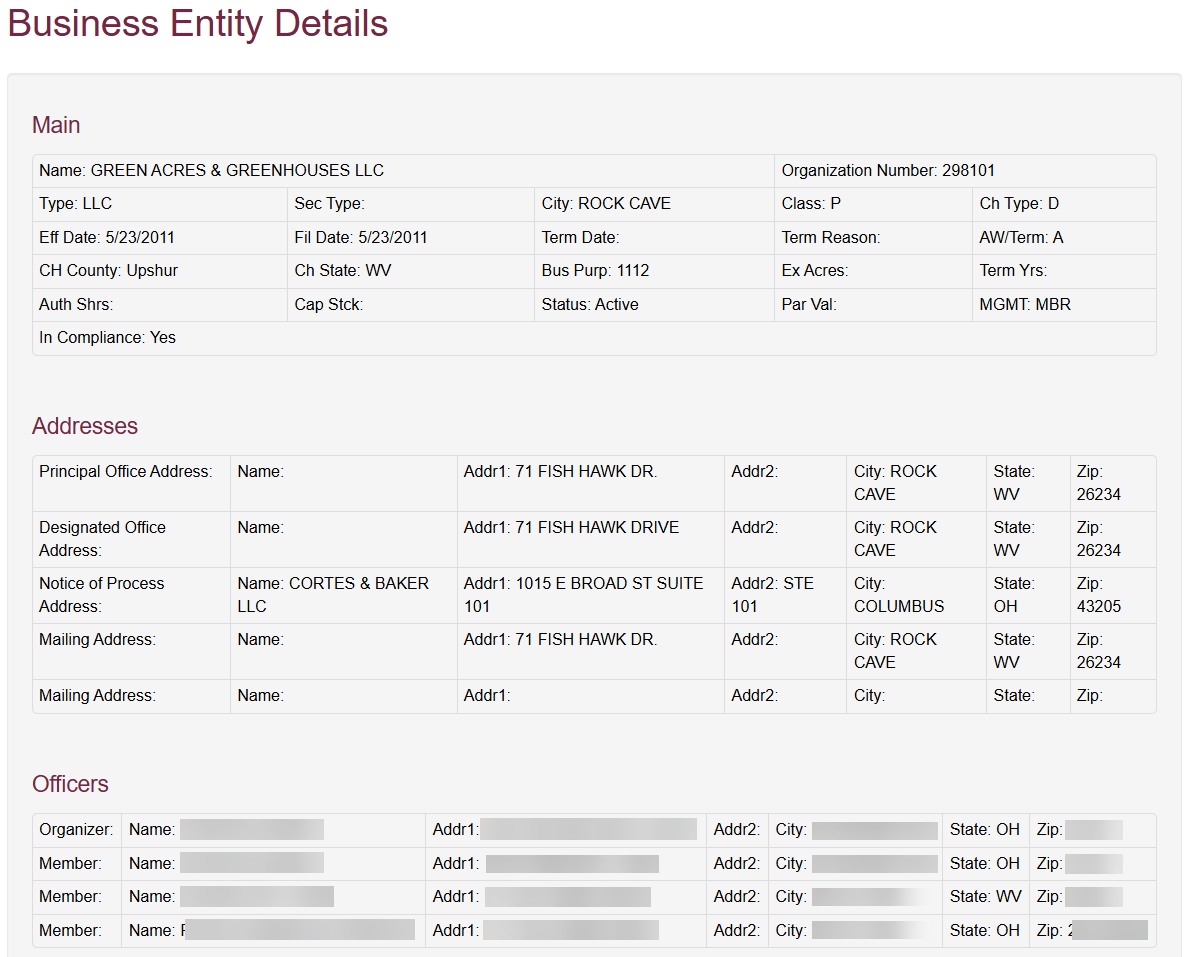
To learn more about a company, click on the Details link (as shown in the screenshot above) to bring up the following entity information:
- Entity name
- Organization number
- Type
- City
- Class
- Charter type
- Effective and filing dates
- Term Date
- Term Reason
- At-Will/term
- Charter county
- Charter state
- Business purpose
- Exempt agricultural acres
- Term years (lifespan)
- Authorized shares
- Capital stock
- Par (face) value
- Management structure
- Compliance status
- Various business addresses
- Officer names and addresses
At the bottom of the page is a list of DBAs, other names, mergers, subsidiaries, amendments, dissolutions, and annual reports (see image).